Pet Memorial Portrait: A Gentle Tribute by Pet Portrait AI
A pet memorial portrait can be a quiet way to keep a familiar face close. Choose a photo that reflects how you remember your companion. Halo Memorial is selected below, with soft light, gentle clouds and a subtle halo around your pet.
Create an AI Pet Portrait
Pet photos only. Human photos are not accepted.
A gentle setting around your pet
The Halo Memorial look uses diffuse light and calm neutral colors to frame the animal in your photo. The halo is a visual detail rather than a statement about any belief. Your pet’s face remains the center of the composition, with instructions to preserve the same animal, breed appearance, fur color and markings, and eye color. You can choose another style if a halo does not suit the image you have in mind. Watercolor offers a soft painted alternative, while Pencil Sketch keeps the composition simple and focused on line and expression.
Start with a photo that matters to you
An older photograph can carry special meaning even when it was not taken for a portrait. Choose the clearest available image with visible eyes and enough detail around the muzzle and ears. A close crop may work better than a wide scene in which your pet is very small. Avoid screenshots with text or photographs with heavy filters that hide markings. If a treasured photo includes a person, prepare a separate pet-only crop before uploading. Human faces, hands, arms and people in the background are not accepted.
Choose how you would like to keep the image
A memorial portrait may become a personal digital keepsake, a quiet desktop image or an image you include in a remembrance card you design yourself. A square ratio keeps attention close to the face; a taller ratio can include more of the soft painted setting. There is no text or nameplate feature. Add any dates or words separately after downloading, if that feels right for your use. This is a digital image service and does not sell framed portraits, prints or other physical memorial products.
Take your time with the portrait
The embedded generator starts with Halo Memorial selected. Upload your chosen photo, select an aspect ratio and create the image when you are ready. Review the result for the details that matter to you, since generated images can vary. One credit creates one HD portrait without a watermark. Failed generations return credits automatically, and rejected uploads use no credits. Download your image when it is ready: generated images remain stored for 24 hours and uploads are deleted after generation. The Renaissance portrait page offers another painted approach if you prefer period fabrics and a darker background.
Creating a portrait of your dog?
Explore our AI dog portraits for tips on choosing a clear photo of your dog and comparing royal, Renaissance and watercolor styles.
Portrait examples
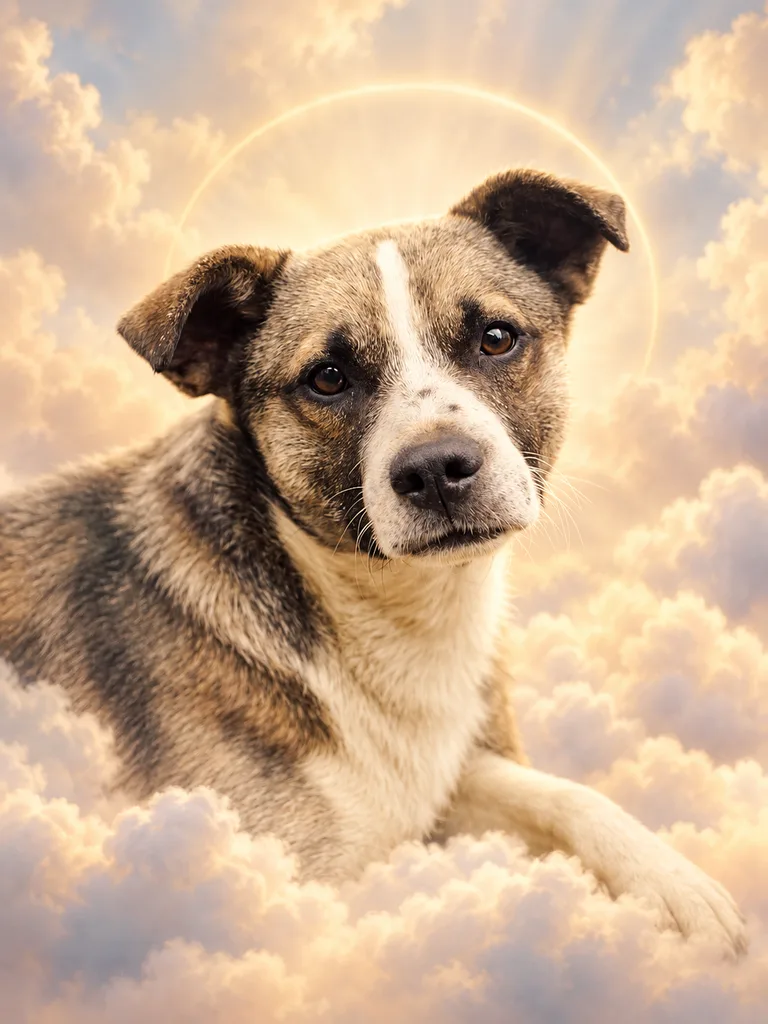
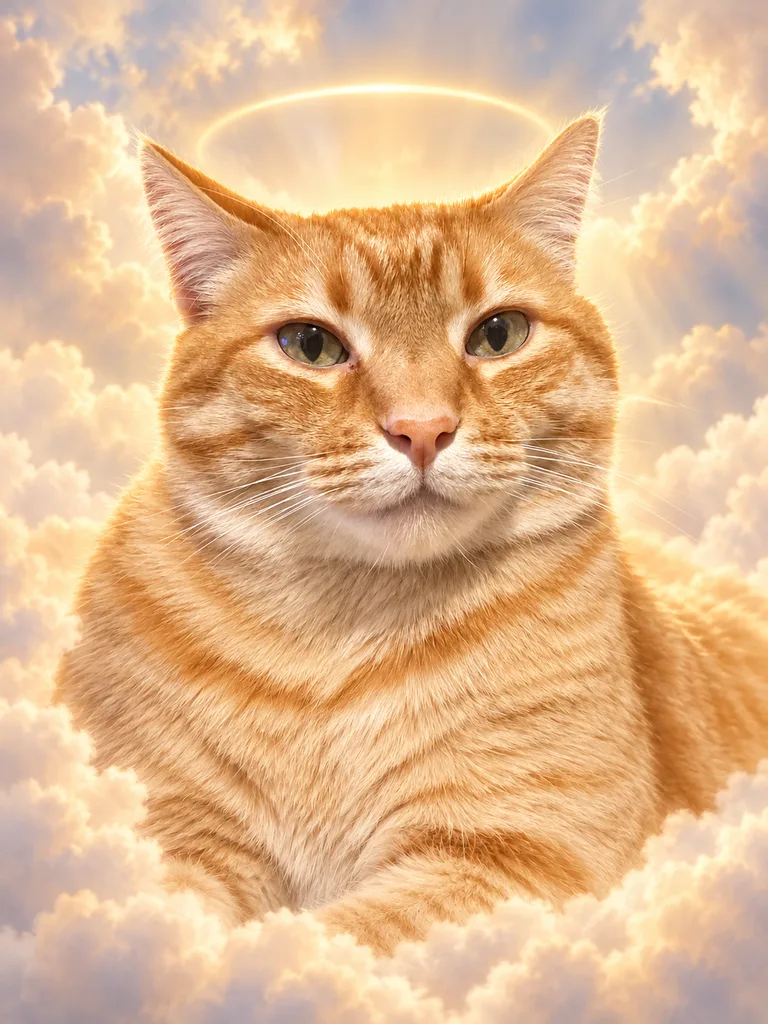
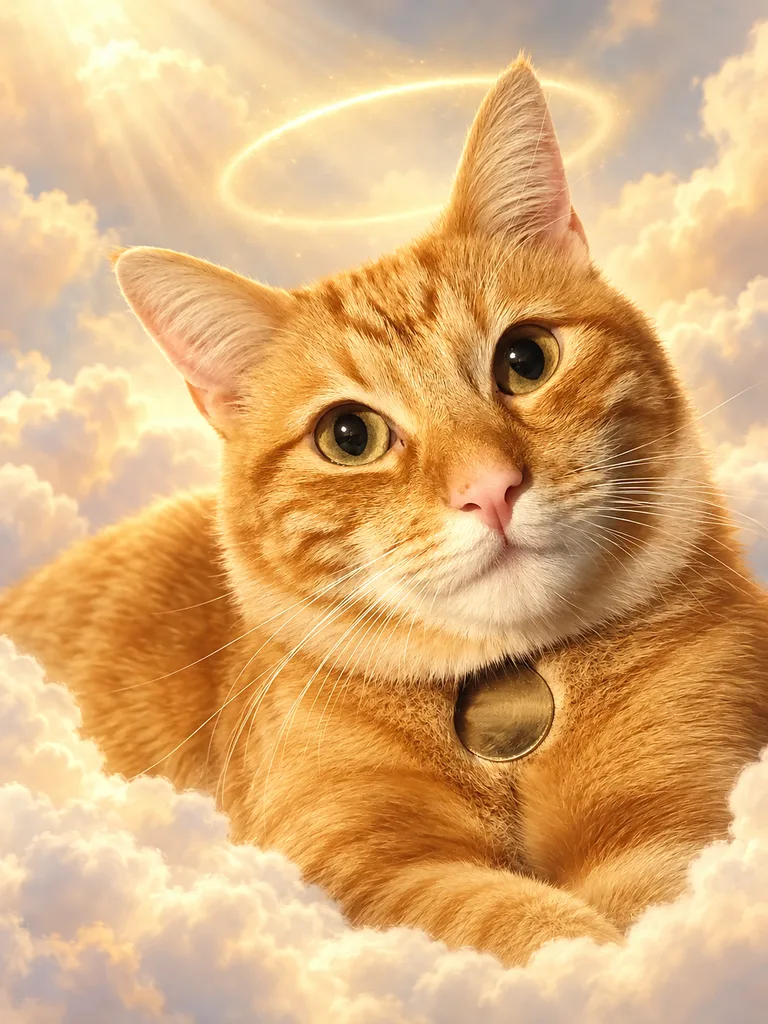
Questions about this portrait
Can I use an older photo for a pet memorial portrait?
Yes. Choose the clearest pet-only photo available, with visible facial features and markings. Results depend on the detail in the source image.
Does a memorial portrait have to include a halo?
Halo Memorial includes a subtle halo. Choose another available look, such as Watercolor or Pencil Sketch, if you prefer a different setting.